
GPTBot, ClaudeBot, PerplexityBot: which AI crawlers to allow in robots.txt
Learn which AI crawlers to allow in robots.txt, including GPTBot, ClaudeBot, and PerplexityBot. Understand their roles and the impact of blocking them.
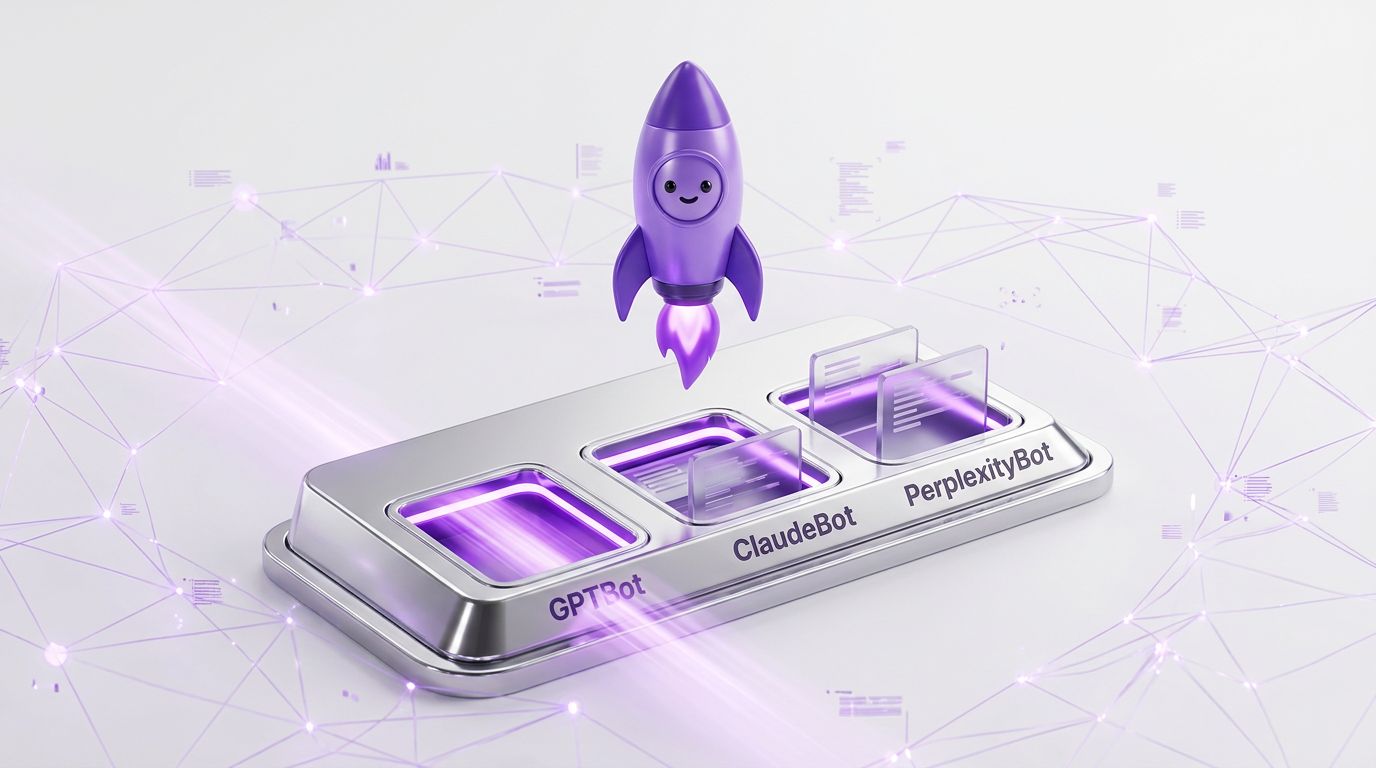
The short answer: which AI crawlers to allow
To maximize AI visibility and SEO for AI, allow GPTBot, ClaudeBot, and PerplexityBot in your robots.txt file. These AI crawlers enhance content accessibility and engagement by ensuring your website's content is indexed and recommended by AI-driven search platforms. For LaunchPist, a software company focusing on AI visibility and SEO autopilot, this is crucial for reaching owners and marketers of small and mid-sized businesses who want to be found on platforms like Google and recommended by AI systems without running a content operation themselves.
When configuring your robots.txt file, consider the following:
- GPTBot: Allowing GPTBot ensures that your content is accessible to OpenAI's models, which are widely used in AI-driven search and content recommendation systems. This can significantly enhance your site's reach and engagement by making it a part of the broader AI ecosystem.
- ClaudeBot: This crawler is focused on retrieving content for AI models that prioritize human-like understanding and context. By allowing ClaudeBot, you ensure that your content is interpreted and presented in a way that aligns with human conversational nuances, which is beneficial for businesses aiming for personalized AI interactions.
- PerplexityBot: Unlike other crawlers, PerplexityBot is user-triggered, meaning it accesses content based on specific user queries. Allowing this bot can increase the chances of your content being delivered directly in response to specific user needs, thus enhancing targeted visibility.
For SaaS founders and agencies managing multiple client sites, the decision to allow these bots should be weighed against the need for control over how content is used and presented. While allowing these crawlers can increase AI engagement and visibility, it is essential to monitor how your content is indexed and ensure it aligns with your brand's goals.
Ultimately, the choice of which AI crawlers to allow should reflect your business's strategy for AI-driven search and content accessibility. By aligning your robots.txt configuration with your SEO for AI objectives, you can effectively position your website within the AI ecosystem and drive more relevant traffic to your site.
Understanding GPTBot: Training and implications
GPTBot is an AI crawler developed to enhance the capabilities of AI-driven search engines. It plays a crucial role in training large language models by indexing publicly accessible web content. This data collection helps improve the responses of AI systems like ChatGPT, making them more accurate and context-aware. For businesses, understanding GPTBot's operations is essential for optimizing content visibility and engagement in AI-driven environments.
Training large language models with GPTBot involves several key processes. First, GPTBot scans publicly available web pages, extracting text and other relevant data. This information feeds into the AI's learning algorithms, refining its ability to generate coherent and contextually relevant responses. The quality and diversity of the data GPTBot gathers directly influence the model's performance, highlighting the importance of maintaining a well-structured and informative website.
The implications of allowing or disallowing GPTBot in your robots.txt file are significant. By permitting GPTBot access, you ensure that your content can be indexed and used to train AI models, potentially increasing your visibility in AI-driven search results. This can lead to higher engagement from AI tools and applications that rely on these models for content recommendations. However, granting access also means your content becomes part of the broader dataset used by AI systems, which might raise concerns about data privacy and intellectual property.
To make an informed decision, consider the following steps:
- Evaluate Content Goals: Determine whether increased visibility in AI-driven search results aligns with your business objectives. If your goal is to be recommended by AI platforms like ChatGPT or Perplexity, allowing GPTBot might be beneficial.
- Assess Data Sensitivity: Review the content you publish to ensure it does not contain sensitive or proprietary information that you wouldn't want included in AI training datasets.
- Monitor Performance: Use tools to track how your content performs in AI-driven search environments. This can provide insights into the benefits of allowing GPTBot access.
For businesses, optimizing your robots.txt configuration can be a strategic move to enhance AI visibility. By understanding the training processes and implications of GPTBot, you can make informed decisions about how to manage AI crawler access and maximize your content's potential in the evolving digital landscape.
ClaudeBot: Retrieval-focused AI crawler
ClaudeBot is an AI crawler designed with a retrieval-first approach, making it distinct in the AI-driven search landscape. Unlike crawlers that focus on indexing vast amounts of data indiscriminately, ClaudeBot aims to enhance content accessibility by prioritizing the retrieval of relevant and high-quality information. This specificity makes it a valuable tool for businesses targeting AI visibility and SEO for AI applications.
For small and mid-sized businesses, allowing ClaudeBot in your robots.txt configuration can be a strategic move. When ClaudeBot crawls your site, it seeks to understand the context and relevance of your content in relation to the user's query. This means that, if configured correctly, your website could become a go-to resource for AI-driven search engines, increasing your AI engagement without the need for extensive content operations.
To effectively integrate ClaudeBot into your SEO strategy, consider the following steps:
- Evaluate Content Quality: Ensure your website content is rich, relevant, and up-to-date. ClaudeBot's retrieval focus means it prioritizes content that provides clear, valuable answers to user queries.
- Optimize Metadata: Use descriptive and accurate meta tags. ClaudeBot relies on metadata to quickly assess the relevance of a page, which can affect how often your content is retrieved.
- Structure Content Logically: Organize content in a way that highlights key information. Use headings, bullet points, and clear formatting to make it easier for ClaudeBot to extract pertinent data.
- Update Robots.txt: Explicitly allow ClaudeBot in your
robots.txtfile to ensure it can access and index your site. This involves adding a simple line likeUser-agent: ClaudeBotfollowed byAllow: /. - Monitor Engagement Metrics: Use analytics tools to track how ClaudeBot interacts with your site. Metrics such as bounce rate, time on page, and click-through rate can provide insights into how effectively your site is engaging AI crawlers.
By focusing on retrieval optimization, ClaudeBot can help your business enhance its online presence in AI-driven search environments. This targeted approach not only boosts visibility but also ensures that your content is accessed by users who are most likely to benefit from it, thus improving overall engagement and conversion rates.
PerplexityBot: User-triggered content access
PerplexityBot stands out among AI crawlers due to its unique focus on user-triggered content access. Unlike traditional crawlers that automate indexing, PerplexityBot is designed to deliver content based on specific user requests. This approach can significantly affect how businesses optimize their content for AI engagement and visibility.
The primary advantage of allowing PerplexityBot to access your site is its potential to enhance AI-driven search results. When users directly query information, PerplexityBot retrieves content that directly answers those questions. For businesses aiming to boost their presence in AI-generated responses, ensuring that your site is crawlable by PerplexityBot can be a strategic move. This is particularly relevant for service firms, local businesses, and e-commerce shops that rely on precise answers to attract potential customers.
To effectively configure your site for PerplexityBot, consider the following steps:
- Understand User Intent: Analyze what questions users might ask that relate to your business. This can guide your content strategy to ensure that the information you provide is aligned with potential queries.
- Optimize Content for Direct Answers: Structure your content to deliver concise, direct answers. Use clear headings and bullet points where applicable, as these formats are more likely to be picked up by AI crawlers during user-triggered searches.
- Leverage Schema Markup: Implement schema markup to help PerplexityBot understand the context and relevance of your content. This can improve the likelihood of your site being featured in AI-driven responses.
- Monitor AI Engagement Metrics: Regularly track how your content performs in AI-driven searches. This will help you refine your strategy and make necessary adjustments to improve visibility.
While allowing PerplexityBot can increase your AI visibility, it is essential to weigh the benefits against potential downsides. For example, businesses must ensure that their content quality is high to avoid misleading or incomplete answers that could harm their credibility. Additionally, maintaining up-to-date and relevant information is crucial, as AI systems rely on the accuracy of the data they retrieve.
Ultimately, integrating PerplexityBot access into your AI and SEO strategy can be a powerful tool for enhancing your digital presence, provided it aligns with your overall business goals and content strategy.
How to update robots.txt for AI crawlers
Updating your robots.txt file to manage AI crawlers effectively is crucial for optimizing AI-driven search visibility and content accessibility. The robots.txt file is a simple text file that resides at the root of your website and instructs web crawlers on which pages they are allowed to access. With the rise of AI crawlers like GPTBot, ClaudeBot, and PerplexityBot, configuring this file correctly can significantly impact how your content is indexed and recommended by AI platforms.
Here’s a step-by-step guide to updating your robots.txt for AI crawlers:
- Identify AI Crawlers: Before you update your
robots.txt, make sure you know which AI crawlers you want to engage with your content. Consider how each crawler aligns with your business goals. For instance, if your focus is on being recommended by AI-driven search engines, allowing crawlers like GPTBot and PerplexityBot might be beneficial. - Evaluate Content Sensitivity: Decide which parts of your website should be accessible to AI crawlers. Sensitive or proprietary content might need to be restricted. Analyze your content to ensure that only the material you want to be publicly accessible is allowed for crawling.
- Modify the
robots.txtFile: Use a text editor to open yourrobots.txtfile. Add user-agent directives specific to each AI crawler you want to allow or disallow. For example:
   User-agent: GPTBot
   Allow: /public-content/
Disallow: /private-content/- Test the Configuration: After updating the
robots.txtfile, use tools like Google Search Console or third-party SEO tools to test the configuration. Ensure that the directives are being followed by the AI crawlers. Monitoring the crawl stats can help you confirm that the changes are effective. - Monitor and Adjust: AI technology evolves rapidly, so it's essential to regularly review and update your
robots.txtfile. Keep an eye on traffic patterns and AI engagement metrics to make informed decisions about future adjustments.
By following these steps, you can strategically manage how AI crawlers interact with your site, enhancing your AI visibility and ensuring that your content reaches the right audience. The key is to balance accessibility with control, ensuring that AI platforms can recommend your content without compromising sensitive information.
Verifying AI crawler access at the CDN level
Ensuring that AI crawlers like GPTBot, ClaudeBot, and PerplexityBot can access your site starts beyond the robots.txt file. Verifying AI crawler access at the CDN (Content Delivery Network) level is a crucial step for any SaaS or app platform aiming to boost AI visibility. CDNs act as intermediaries between your server and end users, helping to efficiently deliver content while also providing an additional layer of control over who can access your site.
Firstly, assess your current CDN setup. Most modern CDNs offer customizable settings that allow you to manage bot access directly. Check if your CDN provides bot management features. These features can include IP whitelisting, where you specifically allow certain bots to access your content, or user-agent identification, which lets you permit bots based on their user-agent strings.
For a more granular approach, consider these steps:
- Identify IP Ranges: Each AI crawler operates from a specific range of IP addresses. Research these ranges and configure your CDN to whitelist them. This ensures that only legitimate AI crawlers have access, while malicious bots are kept at bay.
- User-Agent Strings: Implement rules based on user-agent strings. Most AI crawlers will provide documentation on their specific user-agent. Match these in your CDN settings to allow or block traffic accordingly.
- Rate Limiting: Use rate limiting to control the frequency of requests from AI crawlers. This prevents server overload and ensures that your site remains accessible to human users. Balance is key; set limits that allow AI crawlers to index your content effectively without compromising user experience.
- Monitor Traffic: Regularly monitor your CDN logs to observe bot traffic patterns. Look for unusual activity, such as spikes in requests from unknown IPs, which could indicate unauthorized bot access. Adjust your settings as necessary to maintain optimal security and performance.
By verifying AI crawler access at the CDN level, you ensure that your content is served efficiently and securely. This not only enhances your AI-driven search potential but also safeguards your infrastructure from unwanted traffic. Such proactive measures place your platform in a strong position to be recommended by AI systems, ultimately increasing your visibility in the AI-driven ecosystem.
FAQ
What happens if I block GPTBot in my robots.txt?
Blocking GPTBot may reduce your site's visibility in AI-generated responses, potentially limiting your reach to users relying on AI for information.
How do I allow ClaudeBot in my robots.txt?
To allow ClaudeBot, add a directive in your robots.txt file that permits its access. Ensure the syntax is correct to avoid accidental blocking.
Is it necessary to allow PerplexityBot for SEO?
Allowing PerplexityBot can enhance direct user engagement through AI-driven queries, potentially improving SEO by increasing content accessibility.
How can I check if AI crawlers are blocked at my CDN?
Use CDN logs and monitoring tools to verify if AI crawlers are being blocked. Ensure settings allow these bots to access your site as intended.